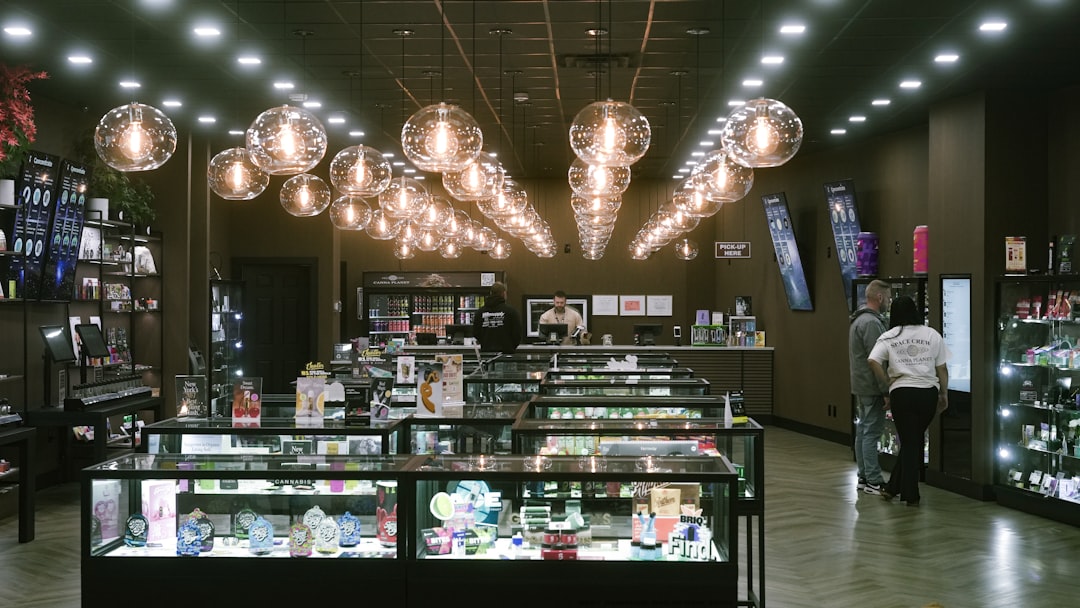
From Yelp Photos to Brand Stories: How In-Store Images Turn Browsers into Buyers
A step-by-step playbook for turning Yelp and Instagram photos into trust-building jewelry retail content that drives local conversions.
From Yelp Photos to Brand Stories: How In-Store Images Turn Browsers into Buyers
For independent jewelers, photos are no longer a decorative extra; they are a conversion asset. In a category where shoppers cannot immediately touch the metal, examine the prongs, or compare sparkle under showroom lighting, visual proof becomes the shortcut to trust. That is why Yelp photos, Instagram posts, and other forms of user generated content now function as a modern storefront window, quietly answering the shopper’s biggest question: “Can I trust this jeweler with something this important?” When curated well, in-store images do more than show a beautiful case or a polished counter; they create a narrative of craftsmanship, service, and authenticity that supports visual merchandising, strengthens customer trust, and improves local discovery.
This guide is built for jewelers who want to turn casual browsing into confident buying. It draws on the idea that review-site photos and customer-shared images can be organized into a disciplined, ethical content system: one that supports local SEO, reinforces brand storytelling, and improves conversion optimization without losing the human warmth that makes jewelry retail feel personal. If you are trying to vet what strong photo-led trust signals look like, it helps to think like a shopper first. Our companion guide on how to vet a local jeweler from photos and reviews shows the exact cues buyers notice before visiting, while selling vintage rings online with story and authenticity explains why narrative-driven imagery raises perceived value.
Why In-Store Images Matter More in Jewelry Than in Most Retail Categories
Jewelry is a high-trust purchase disguised as a visual purchase
A shopper may first be attracted by a diamond’s brilliance or the silhouette of a pendant, but the final decision is usually driven by trust. Jewelry buyers are weighing authenticity, workmanship, ethics, returns, resizing, and emotional significance all at once. In that environment, in-store images become evidence: a photo of a staff member handling a ring with gloves, a customer smiling beside a repair counter, or a display case lit with care can signal competence more effectively than a paragraph of marketing copy. This is why images shared on review platforms often outperform polished brand photography in credibility, because they appear unfiltered, contextual, and socially validated.
Photos reduce the invisible risks shoppers fear
Shoppers worry about gemstone authenticity, unclear sizing, and whether online photos exaggerate size or color. They also wonder whether a jeweler will explain certification, customs, warranty, and post-purchase care clearly. Strong visual merchandising does not eliminate these concerns by itself, but it reduces uncertainty by showing real staff, real counters, real packaging, and real customer experiences. For a broader framework on evaluating value and risk before a purchase, see how to evaluate a deal before clicking buy and how to spot a good deal when inventory is rising; the same disciplined thinking applies to jewelry photography and store proof.
Visual proof supports local SEO and map-pack conversions
Search engines and review platforms reward active, relevant, locally grounded businesses. Fresh photos in your Google Business Profile or Yelp profile can improve engagement, increase click-throughs, and help a shopper decide to call, message, or visit. More importantly, those photos often appear alongside reviews in the first few moments of local decision-making. Jewelers who regularly publish authentic imagery are effectively building a visual library of trust signals, much like a retail media brand builds shelf influence; for a related strategy lens, consider how retail media can win shelf space and the future of content creation in retail.
What Counts as Trust-Building UGC in a Jewelry Store
Customer photos that show real outcomes
The most powerful UGC in jewelry retail usually shows moments of ownership and delight: an engagement ring presented in-store, a repaired heirloom returned to a customer, a custom pendant being picked up, or a birthday gift wrapped and ready to go. These images work because they capture the emotional payoff of buying jewelry, not just the product itself. When a shopper sees another customer looking genuinely happy in your store, they mentally project themselves into that same experience. That projection is the essence of conversion optimization in a category where emotion, identity, and expense intersect.
Staff portraits that humanize expertise
Many jewelers underestimate how much customers want to see the people behind the counter. A well-lit portrait of a bench jeweler, gemologist, appraiser, or sales consultant can reassure shoppers that the store has competent, accessible experts. Staff portraits should not feel like corporate headshots; they should feel warm, polished, and specific to the craft. Include subtle context such as a loupe, a polishing cloth, a bench, or a stone tray. For staff training and pairing technical skill with customer confidence, see cross-training retail staff for a better in-store experience and how welding tech is shaping jewelry design.
Process photos that reveal care and craftsmanship
Not every image should show a finished jewel. Sometimes the most persuasive content is a process shot: a prong check, a stone setting, a cleaning service, or a custom CAD render next to the final piece. These photos communicate labor, precision, and accountability. They also support premium pricing because shoppers can see the skill behind the object. A store that frequently posts behind-the-scenes work looks busy, competent, and honest. That is a stronger brand story than a generic display case shot ever could be.
A Step-by-Step Playbook for Sourcing UGC Ethically
Step 1: Define the visual story you want the market to repeat
Before you collect photos, decide what your store should be known for. Are you positioning as the neighborhood expert in bridal, a custom design destination, a vintage and estate specialist, or a service-first jeweler with strong repair credentials? Your UGC should reinforce that identity. If your store wants to be seen as bespoke and romantic, prioritize proposal moments, custom sketches, and close-ups of settings. If your identity is repair and restoration, emphasize before-and-after transformations and craftsmanship. The more deliberate your story, the easier it becomes to curate images that feel cohesive instead of random.
Step 2: Ask for permission the right way
Do not treat customer images as free marketing just because they are public. Ethical curation starts with clear permission and a respectful request. Train staff to ask at the moment of delight: when a customer receives an engagement ring, picks up a repaired heirloom, or compliments the team’s service. A simple script works best: “Would you be comfortable if we featured this photo on our social or website to help other shoppers see the experience?” This protects trust and keeps your brand aligned with the transparency shoppers expect. For a useful mindset on consent and public-facing digital systems, compare this process to privacy, consent, and data-minimization patterns.
Step 3: Build a consent log and usage policy
Independently owned jewelers should maintain a basic UGC permission log with the date, platform, customer name or handle, content type, allowed channels, and expiration or revocation notes. This is not overkill; it is professional risk management. It reduces confusion if a customer later asks for a photo to be removed and helps staff know where each asset can be used. Good photo curation is similar to any verification workflow: you need evidence, traceability, and clear decision rules. If your team wants a model for structured verification, see event verification protocols and how to read public apologies and next steps for examples of trust-sensitive communications.
How to Curate Photos Into a Brand Story, Not a Random Gallery
Choose themes that match the buying journey
Organize photos around customer intent rather than around channels. For example, create folders for bridal, repairs, anniversaries, custom design, luxury gifts, team expertise, and store atmosphere. A shopper looking for an anniversary gift should see different images than someone searching for a resizing service. This thematic structure improves both the on-site experience and the store’s internal workflow. It also makes it easier to reuse assets across Google Business Profile, Yelp, Instagram, email, and in-store signage without repeating the same image in a generic way.
Use a narrative sequence: problem, process, payoff
The most effective jewelry photo sets tell a story in three acts. First, show the problem or occasion: a customer bringing in a family ring, a couple exploring engagement styles, or a gift buyer choosing among options. Second, show the process: a consultation, a sketch, a gem selection, a repair bench, or a staff member explaining certifications. Third, show the payoff: a finished piece, a smiling customer, or a wrapped gift leaving the store. This sequence mirrors how shoppers think. It also helps content perform better because each image has a role rather than existing as isolated decoration.
Keep the look authentic, polished, and locally specific
Over-editing can make UGC lose the very credibility you are trying to build. Preserve natural skin tones, realistic lighting, and recognizable store details. At the same time, maintain enough visual quality to reflect your brand standards: clean counters, uncluttered backgrounds, and readable signage where appropriate. Local specificity matters too. Include recognizable team members, neighborhood cues, and store design elements that make your business feel grounded in place. For additional guidance on turning a niche audience into a loyal audience, look at genre marketing and cult audience building and building cult audiences from strong visual identity.
Where to Source High-Value Images: Yelp, Instagram, Google, and In-Store Capture
Yelp photos as social proof with purchase intent
Yelp photos are especially valuable because they appear close to review content, which means a shopper sees both emotional testimony and visual corroboration at the same time. In jewelry retail, this can be incredibly persuasive when someone is comparing multiple local stores. The best Yelp images are often not the most polished; they are the ones that feel real: staff helping a customer, a showcase of rings, a repair pickup, or a storefront shot that confirms the business actually exists and looks cared for. Think of Yelp as a trust checkpoint, not just a listing page.
Instagram for brand atmosphere and sequence storytelling
Instagram is where you can extend the story beyond proof into aspiration. Short videos, carousel posts, and reels can show the glow of the display lighting, the sparkle of a gemstone being tilted in hand, or the steps of a custom order. Use Instagram to capture rhythm and mood, then repurpose the strongest frames into your website, Google profile, and email campaigns. For visual inspiration on how creators build an audience through repeatable aesthetics, see social profiles that shape taste and how ingredient, pricing, and social strategy can build trust.
In-store photography gives you control over the baseline
Relying only on customer posts leaves you at the mercy of what happens to be shared. You should capture your own in-store photography consistently so your visual story has continuity. Photograph the showroom during daylight and evening, key team members, signature services, packaging, and milestone moments. A simple phone setup can work if the store is well lit and the composition is careful. For a production mindset that emphasizes compact, reliable workflows, see quiet practice, loud videos and virtual workshop design for creators, which both reward discipline over complexity.
Optimizing UGC for Conversion: What to Place Where
Match images to the right page and intent
Not every image belongs on every page. Put customer-winning moments on your homepage, service details on repair pages, team portraits on “About Us,” and product-close-up UGC on relevant category pages. If a shopper is considering custom design, show a before-and-after project and a smiling handoff photo near the inquiry form. If they are browsing bridal, display consultation images and proposal-ready packaging close to product filters. Intent match is one of the fastest ways to turn a pretty gallery into a conversion system.
Use images to reduce friction around pricing and sizing
Great in-store photography can answer questions before they become objections. A ring photo beside a hand, a ruler, or a finger-size reference helps with scale. A pendant worn at chest level reveals proportion. A staff member explaining stone quality next to certification documents reassures shoppers who are concerned about value. When images are paired with concise captions about measurements, metal type, and customization options, they help shoppers compare options with confidence. For adjacent consumer decision frameworks, explore how to compare rent vs buy when the market turns balanced and how different buyer types decide on a big-ticket purchase.
Build micro-conversions into the visual journey
Every strong image should point toward the next small action: read reviews, call for a quote, book an appointment, ask about resizing, or view certified stones. This is where visual merchandising meets conversion optimization. A customer may not be ready to buy immediately, but a reassuring image can push them into a consultation or message. Think of these moments as micro-conversions, similar to how digital products move users through tiny steps toward completion. For a useful analogy, see automations that stick using micro-conversions and upcoming payment features that reduce friction.
Metrics That Reveal Whether Your Photo Strategy Is Working
Track engagement, not vanity alone
Do not judge photo performance only by likes. For jewelry retail, the more meaningful metrics are profile visits, calls, direction requests, appointment bookings, product-page scroll depth, and conversion rate on pages that include authentic imagery. Compare pages with UGC against pages without it. Also watch how images affect the quality of inquiries: Are shoppers asking more specific questions? Are they arriving with a clearer sense of budget, style, or service need? Those are signs that your visual narrative is educating the buyer.
Use a simple comparison framework
The table below gives independent jewelers a practical way to evaluate photo types and where they tend to perform best. Use it to audit your current content and identify gaps in your trust story.
| Photo Type | Primary Trust Signal | Best Placement | Risk if Misused | Recommended Caption Angle |
|---|---|---|---|---|
| Customer pickup photo | Social proof and delight | Homepage, Yelp, Instagram | Feels staged if overproduced | “Another custom piece ready for its new chapter” |
| Staff portrait | Human expertise | About page, Google profile | Looks corporate if too formal | “Meet the team behind your consultation” |
| Repair bench shot | Craftsmanship and care | Repair service page | Can look messy if poorly composed | “Precision work that protects family heirlooms” |
| Display case wide shot | Store quality and atmosphere | Storefront, local SEO profiles | Generic if nothing distinguishes the space | “A curated selection for everyday and once-in-a-lifetime moments” |
| Close-up gemstone image | Product quality and detail | Product pages, social carousel | Misleads if lighting exaggerates color | “Natural light and careful angles to show true sparkle” |
| Custom design process photo | Personalization and collaboration | Custom design page | Confuses shoppers if no progress context | “From sketch to finished heirloom” |
Audit for consistency over time
A single great image can impress, but a consistent stream of aligned images builds memory. Review your photo library monthly to see whether your content reflects your current offerings, seasonal moments, and top-selling services. If your store has become more bridal-focused, your image mix should change accordingly. If repair and restoration are growing, showcase that more prominently. In the same way smart retailers track market signals, you should track visual signals; the logic behind timed decision-making is similar to evaluating flash sales and recognizing competitive inventory conditions.
Best Practices for Captions, Alt Text, and Local SEO
Write captions that reinforce relevance and intent
Captions should do more than describe the photo. They should connect the image to a shopper’s need: custom engraving, resizing, anniversary gifting, gemstone certification, or same-day cleaning. Use natural language, include location terms where appropriate, and make the benefit obvious. A caption like “Our jeweler Olivia reviewing a sapphire reset with a customer in Palm Desert” works harder than “Team photo.” That specificity supports local SEO and helps the image feel tied to real service.
Use alt text as a trust and accessibility tool
Alt text should be descriptive, concise, and accurate. It improves accessibility for users who rely on screen readers and can also support image indexing. Describe who is in the image, what is happening, and why it matters. For example: “Customer receiving a custom engagement ring from staff member at jewelry counter” is both usable and search-friendly. Do not stuff keywords into alt text; make the phrase useful first. If you need a reminder that clarity beats gimmicks, look at SEO and content structuring tips and how publishers track high-signal stories.
Coordinate photos with review responses and service pages
When a customer leaves a positive review with a photo, respond with gratitude and context. If the image shows a repair, mention that the team was glad to help restore a cherished piece. If the image shows a gift pickup, mention the occasion and warm wishes. Then connect the photo and review to a relevant service page on your site. This creates a seamless trust pathway from review site to owned content. Done well, the image becomes evidence, the response becomes reinforcement, and the service page becomes the next step.
Operational Workflow: How Small Jewelry Teams Can Do This Without Burning Out
Assign clear ownership
UGC strategy fails when everyone is responsible and no one is accountable. Assign one person to collect permissions, one person to post or archive approved assets, and one person to review analytics monthly. In a small store, these roles may overlap, but the responsibilities must still be explicit. A lightweight workflow is enough: capture, ask, log, approve, publish, review. That structure keeps the system sustainable and protects quality. If your team needs operational lessons from other small-business systems, see how to build a searchable contracts database and how small teams turn data into actionable insight.
Create a monthly content cadence
Instead of chasing every possible post, commit to a rhythm. For example, capture one customer moment, one staff portrait, one process image, one store atmosphere shot, and one educational close-up every week. Over a month, that gives you enough material to refresh local profiles, update your website, and feed social channels without scrambling. The goal is not volume for its own sake; the goal is a dependable stream of proof that the store is active, warm, and expert-led. Think of it as visual inventory management, much like the discipline discussed in inventory algorithms for retail formats and shipping strategies that support customer confidence.
Repurpose with discipline
One approved photo can work in many places if the message changes by context. A customer pickup image may be a review site asset, a homepage trust signal, a social post, and an email footer highlight. However, do not recycle blindly. Adjust the caption, crop, and call to action so each channel has a purpose. This is how independent jewelers compete with larger chains: by being more thoughtful, more personal, and more consistent in how they present proof.
A Practical 30-Day Action Plan for Independent Jewelers
Week 1: audit and permission
Start by auditing all current photo sources: Yelp, Google, Instagram, Facebook, and your own website. Identify the ten strongest customer or staff images and the ten most trustworthy service images. Then create a permission log for any image you want to reuse. Remove unclear or outdated assets. This first week is about legal hygiene and visual clarity, not growth. It creates the foundation for everything that follows.
Week 2: capture and organize
Schedule one short in-store photo session. Capture team portraits, a clean display case, a repair bench, packaging, and one or two staged-but-natural customer moments if permission is granted. Organize images by theme and intent. Draft captions, alt text, and CTA ideas while the details are fresh. For extra inspiration on creating a polished but manageable content system, see content creation lessons from streaming models and virtual workshop design principles.
Week 3: publish and connect
Update your Google Business Profile, Yelp presence, and homepage with the best assets. Add relevant images to service pages and request reviews from recent happy customers who are comfortable sharing visuals. Connect your visual story to appointment booking, repair requests, or consultation forms. This is where content becomes commerce. The images should not just look nice; they should move people forward.
Week 4: measure and refine
Review which images drove calls, bookings, time on page, or direct messages. Note which service types received the most clicks after image updates. Use that data to refine what you photograph next month. Over time, this becomes a loop: observe, curate, publish, measure, improve. That is how a small jeweler turns customer photos into a reliable growth engine.
Pro Tip: The most persuasive jewelry image is often not the most glamorous one. It is the image that shows a real person, a real moment, and a real reason to trust you with a meaningful purchase.
FAQ: UGC, Yelp Photos, and Jewelry Retail Trust
How do Yelp photos influence whether a shopper visits my store?
Yelp photos provide instant proof that your store is active, clean, and staffed by real people. They reduce uncertainty and help shoppers imagine the experience before they walk in. When the images match strong reviews, the combination becomes especially powerful.
Should I repost customer photos from Instagram if they tag my store?
Only after asking for permission and confirming the usage rights you need. Public tagging is not the same as consent for commercial reuse. A short, respectful request protects your relationship and keeps your brand trustworthy.
What types of images convert best for jewelry retailers?
Customer pickup moments, staff portraits, repair process shots, and clean display images tend to perform well because they blend emotional appeal with practical proof. Custom design before-and-after stories also work especially well for higher-value purchases.
How often should a jewelry store update its photos?
At minimum, review your visual library monthly and add fresh content whenever you have a seasonal event, new collection, staff update, or notable customer story. Freshness matters for local SEO and for signaling that the business is engaged and current.
Can in-store photography really help with conversions online?
Yes. In-store photography reduces friction by showing quality, scale, service, and atmosphere. It answers questions that product photos alone cannot, especially in categories like jewelry where trust, craftsmanship, and emotion are critical to purchase decisions.
Related Reading
- How to Vet a Local Jeweler from Photos and Reviews: A Shopper’s Checklist - Learn which visual cues shoppers use to judge trust before visiting.
- Selling Vintage Rings Online: Optimizing Listings to Reach Buyers Who Value Story and Authenticity - See how narrative can lift perceived value in jewelry listings.
- How Welding Tech Is Shaping Jewelry Design: From Micro-Welds to Impossible Settings - Understand the craft stories that make behind-the-scenes images compelling.
- The Future of Content Creation in Retail: Lessons from Streaming Models - Discover how retail brands can build repeatable, audience-friendly content systems.
- Event Verification Protocols: Ensuring Accuracy When Live-Reporting Technical, Legal, and Corporate News - A useful model for building trustworthy, auditable content workflows.
Related Topics
Elena Marlowe
Senior SEO Content Strategist
Senior editor and content strategist. Writing about technology, design, and the future of digital media. Follow along for deep dives into the industry's moving parts.
Up Next
More stories handpicked for you

Why Some Jewelry Sets Go Viral: A Breakdown of Visuals, Storytelling and Hashtag Strategy

The Luxury Resilience: Jewelry Trends in a Fiscal Landscape

Beyond the Bull: How Jewelers Can Market Zodiac Rings to Different Buyer Types

What Reviews Reveal About Ring Selection: Why ‘More Rings’ Means More Sales

High-Tech Materials: The Future of Sustainable Jewelry Design
From Our Network
Trending stories across our publication group

Aftercare That Keeps Customers Coming Back: Building a Piercing Follow‑Up System

Hypoallergenic Metals Explained: Choosing Piercing Jewelry that Doubles as Everyday Fine Jewellery

Rethinking Gifting: Meaningful Jewelry for Every Occasion

Why Store Lighting Matters: How Retail Lighting Changes the Way a Watch Looks

Supply Chain Transparency and Gold Watches: What Buyers Should Demand
